


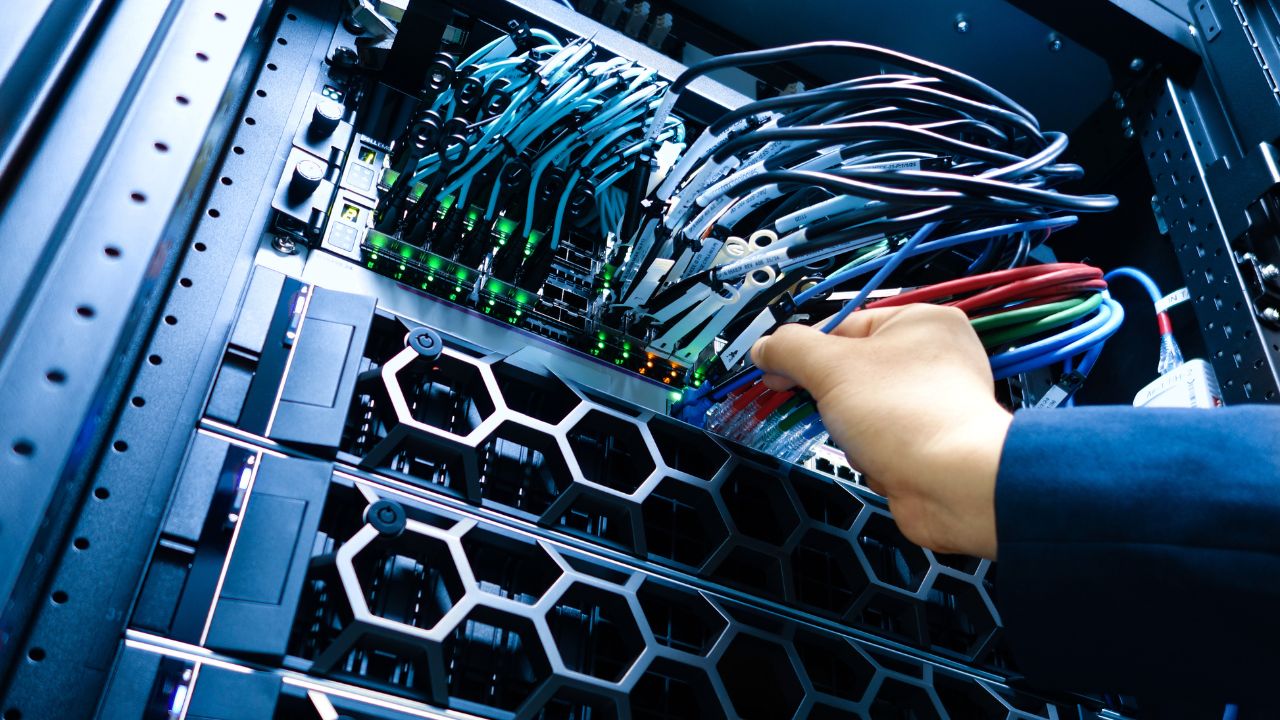
Cable management is often overlooked in modern data centers and server rooms, but it plays an important role in system reliability, scalability, and cooling efficiency. This article discusses the advantages, accessories, and guidelines for server rack cable management. Hope this article can help you recognize the necessity of server rack cable management and provide you with solutions for cable management.
What Is Cable Management in Server Racks?
Server rack cable management is a systematic engineering task. Its main content involves the physical planning, organization, fixation and identification of power cables and data lines inside and outside the rack. Cable management can help you create a safe, efficient and easy-to-maintain wiring environment. This can verify the reliability, maintainability and scalability of your IT infrastructure.
Cable management not only makes your cabinet cleaner, but also plays an important role in optimizing heat dissipation, improving safety and controlling operation and maintenance costs.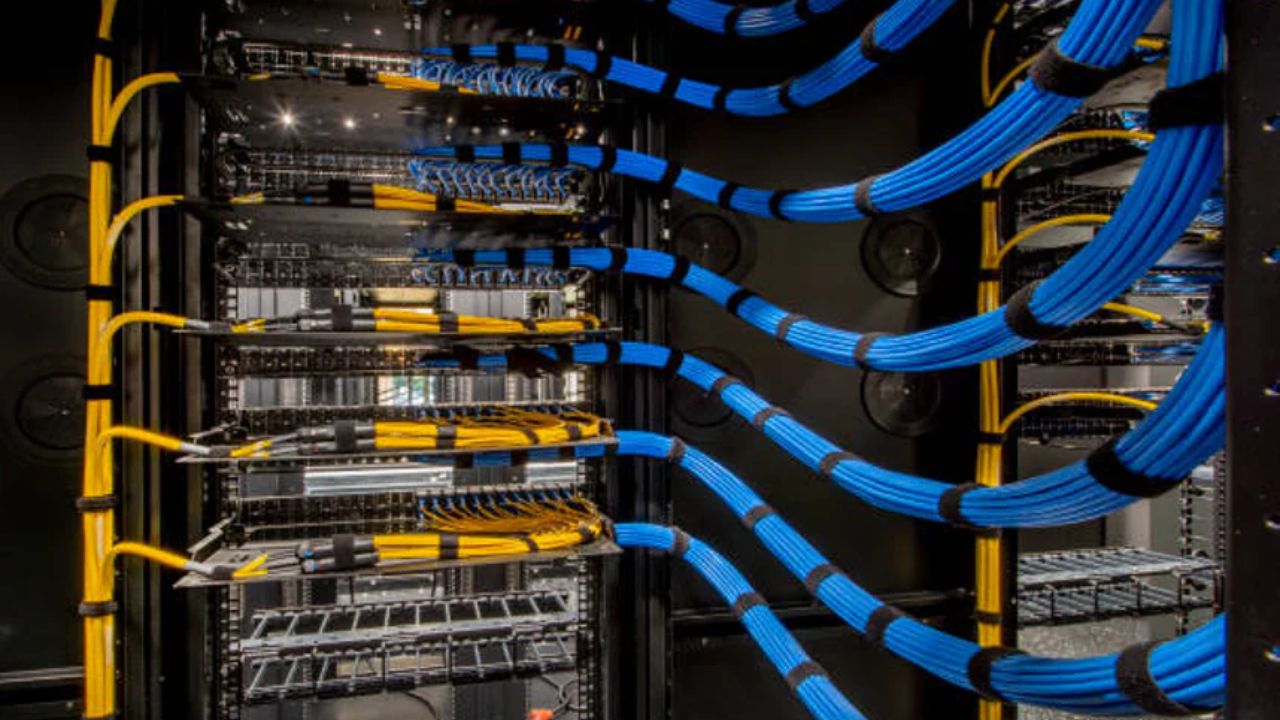
Benefits of Good Cable Management for Server Racks
Improve Airflow and Cooling Efficiency
The heat dissipation of server racks mainly relies on the unobstructed airflow at the front and back. Messy cables can disrupt the path of air flow. Cables suspended in front of the air intake and exhaust paths may cause turbulence and accumulate heat.
Good cable management is achieved through vertical cable management and horizontal cable management, with the cables routed on the side or at the rear of the server rack. This can help keep the air channels within the rack unobstructed, allowing cold air to reach the server components efficiently. In this way, hot air can also be discharged smoothly.
As a result, the cooling system can operate more effectively. This can reduce hotspots and prevent hardware from being affected by thermal stress.
Reduce Downtime and Easier Maintenance
If you do not wrap or mark the cables, it will increase the time cost and error rate for correctly connecting the cables during maintenance. If your rack equipment is densely packed, the possibility of accidental disconnection is higher.
The server rack cable management organizes the cables into clearly defined paths. Each end of the cable has a standardized label. This allows you to quickly track connections, accurately isolate failures, and replace components without affecting neighboring systems. Cable management helps you greatly reduce troubleshooting time and the risk of change operations.
Elevated Safety and Risks Reduction
If you do not manage the cables properly, it will increase the risk of electrical hazards, such as short circuits, insulation damage or overheating. They can also pose a physical danger to the technicians working inside the rack, such as pulling or tripping.
The structured cable wiring separates the power cables and data cables, reducing cable congestion and guaranteeing secure cable fixation. This minimizes electrical interference, lowers the risk of fire, and creates a safer working environment for IT personnel.
Improved Scalability and Flexibility
The growth of the IT environment requires efficient addition of new servers, switches and storage devices. If you do not manage the cables, expansion will require re-arranging the cables, which will increase the risk of downtime.
A well-managed rack has designated cable paths and sufficient margins, allowing you to easily integrate all new devices without affecting the operation of other equipment. What’s more, modular device units(such as 1U server) support scalable growth and simplify future upgrades.
Cost Saving and Operational Efficiency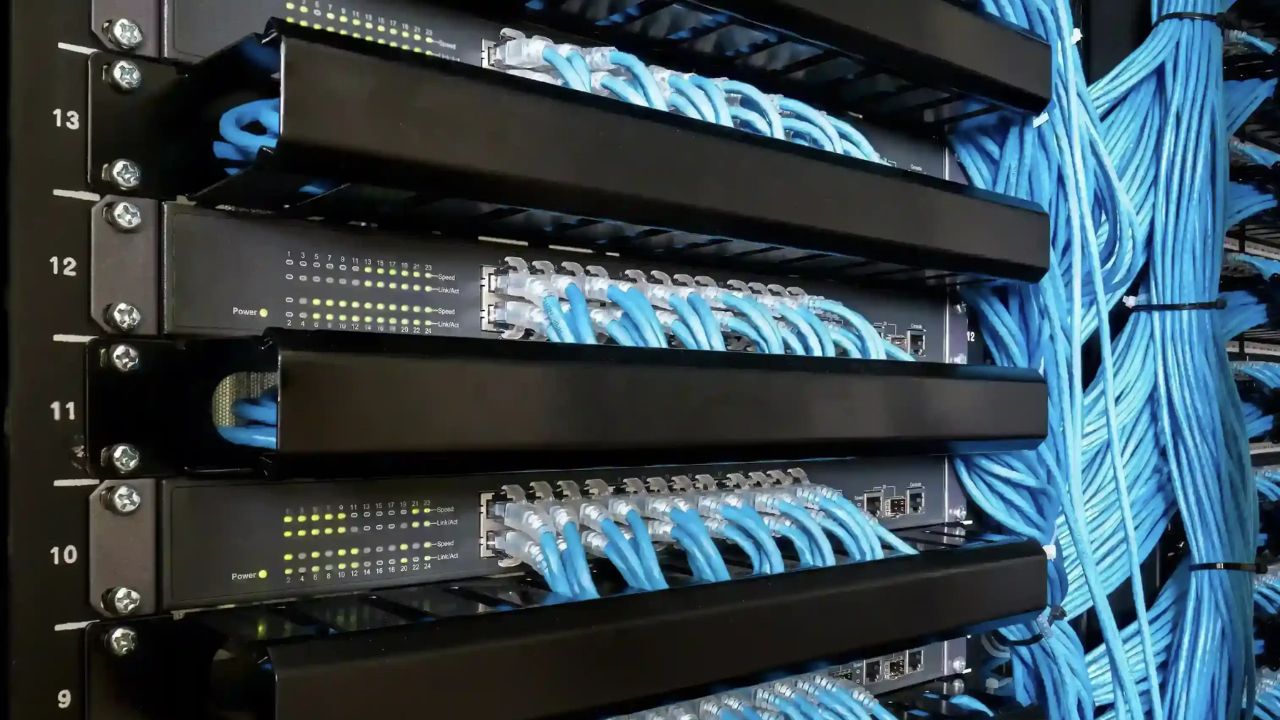
Both the reduction in direct expenses and the improvement in indirect efficiency can help you save considerable costs.
As mentioned above, efficient airflow reduces the cooling requirements of the equipment, which can lower your energy consumption. A stable operating temperature can greatly extend the lifespan of devices such as servers and switches. What’s more, clear cable organization reduces maintenance time and labor costs. It can also prevent errors and failures, which means less urgent repair work and downtime are required.
In the long run, aspects such as electricity usage, personnel allocation, and equipment replacement can all be converted into your measurable cost savings.
Aesthetic Appeal
A well-managed rack results in more orderly cables, which is beneficial for showcasing the professionalism of your team and the reliability of your infrastructure. And cable management is also beneficial for you to conduct audits, document recording and inspections. Besides, clear labels and neat wiring conform to best practices and IT policies. Well-maintained cable management can also demonstrate your operational discipline.
Server Racks Cable Management Accessories
Horizontal Cable Managers
The horizontal cable manager is usually installed between rack-mounted devices. It usually spans a single rack unit (1U or 2U).
You can use it to specifically manage the numerous short patch cords between the patch panel and the switch. It can also guide the cables to be neatly connected from the equipment to the vertical cable manager or the switch port. You can also use the horizontal cable manager to layer different types of patch cords, achieving physical isolation. This is beneficial for your maintenance and identification.
Vertical Cable Managers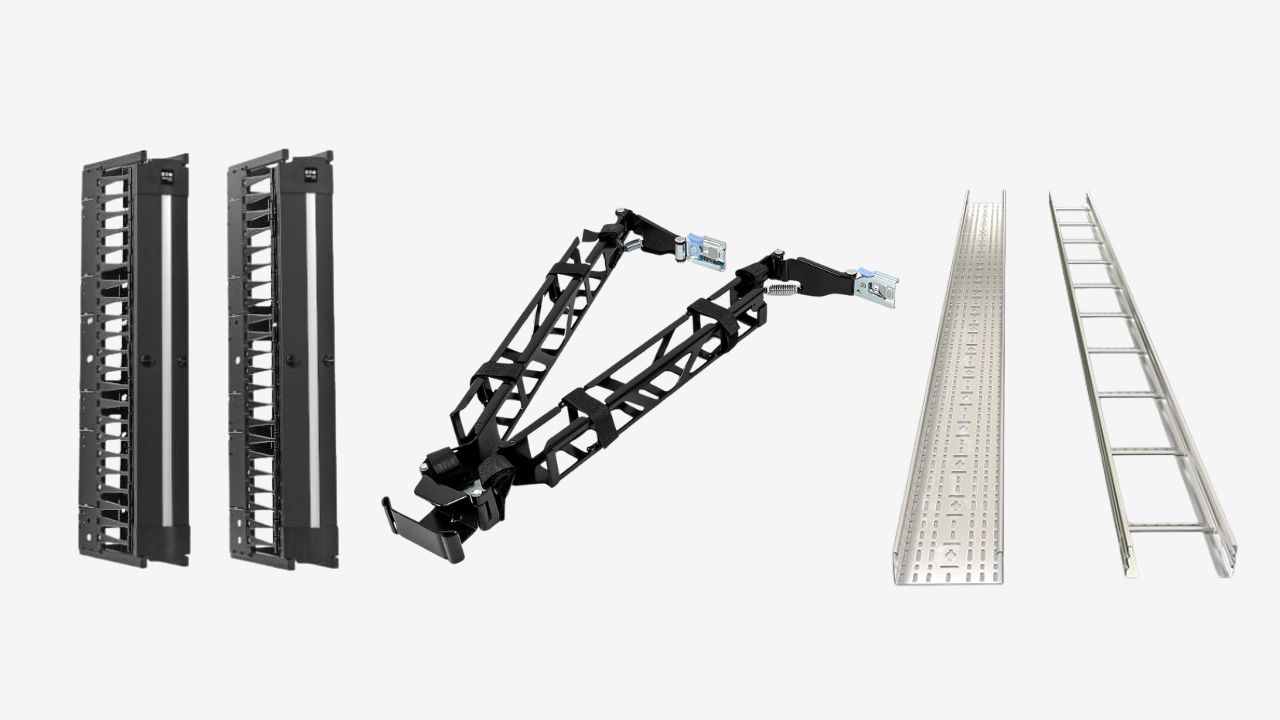
The vertical cable manager is usually installed on both sides of the server rack. It provides a protected vertical path for all the cables entering from the top or bottom of the cabinet. It can converge and distribute cables of different heights(U-position). Besides, the vertical cable manager can also hide the cables to prevent accidental touching and squeezing. Most importantly, it leaves sufficient space within the cabinet, which guarantees the smooth airflow at the rack center.
Cable Management Arms(CMAs)
You can use the cable management arm to connect the cables of the devices on the sliding shelves. It can bear and protect all the cables connected to the server. It allows the cables to extend smoothly along with the equipment, making sure that all connections are unobstructed and not subjected to excessive tension. During maintenance, it also guarantees the effective connection of the cables. When the equipment is pushed back into the cabinet, the CMAs can neatly recover the cables, preventing them from getting tangled and hindering the airflow.
Cable Trays(Overhead or Underfloor)
If you need to support and guide a large number of cables for a long distance in the internet room, you can use cable trays. They can provide physical protection for the cables to prevent compression and loose suspension of the cables. They can also reduce the pressure on the cables and connectors, achieving orderly wiring between multiple racks.
Cable Ties and Velcro Straps
You can use them to tie and secure wire harnesses. Velcro straps can be adjusted and reused. It fixes the wiring harness without damaging the insulation layer of the cables to prevent damage to the cables from over-tightening.
Patch Panels
O patch panel in server rack cable management can keep all cables neat and orderly, and it is more convenient for you to make changes faster and safer. The labels on the cables can also help you quickly troubleshoot problems. This is the best practice for cleaning and managing the cables in the server rack.
Brush Strip Panels and Grommets
The brush strip panel for horizontal server rack cable management can seal the open space while allowing cables to pass through. You can use it to keep proper airflow and cooling effects. It can also prevent dust from entering. The grommets can provide a more secure seal than the brush-like strips.
Cable Management Panels
You can install the cable management panel inside the cabinet to guide and secure the cables entering and exiting the equipment. It can help you optimize the cable routing between devices, reduce visual clutter, and keep consistent cable paths.
Besides the above tools, you may also use some other tools, such as rack-mount PDUs, fiber slack storage rings and d-ring hooks for horizontal cable management and vertical cable management, etc. These tools can also help you achieve more professional cable management.
Best Practices for Cable management in server racks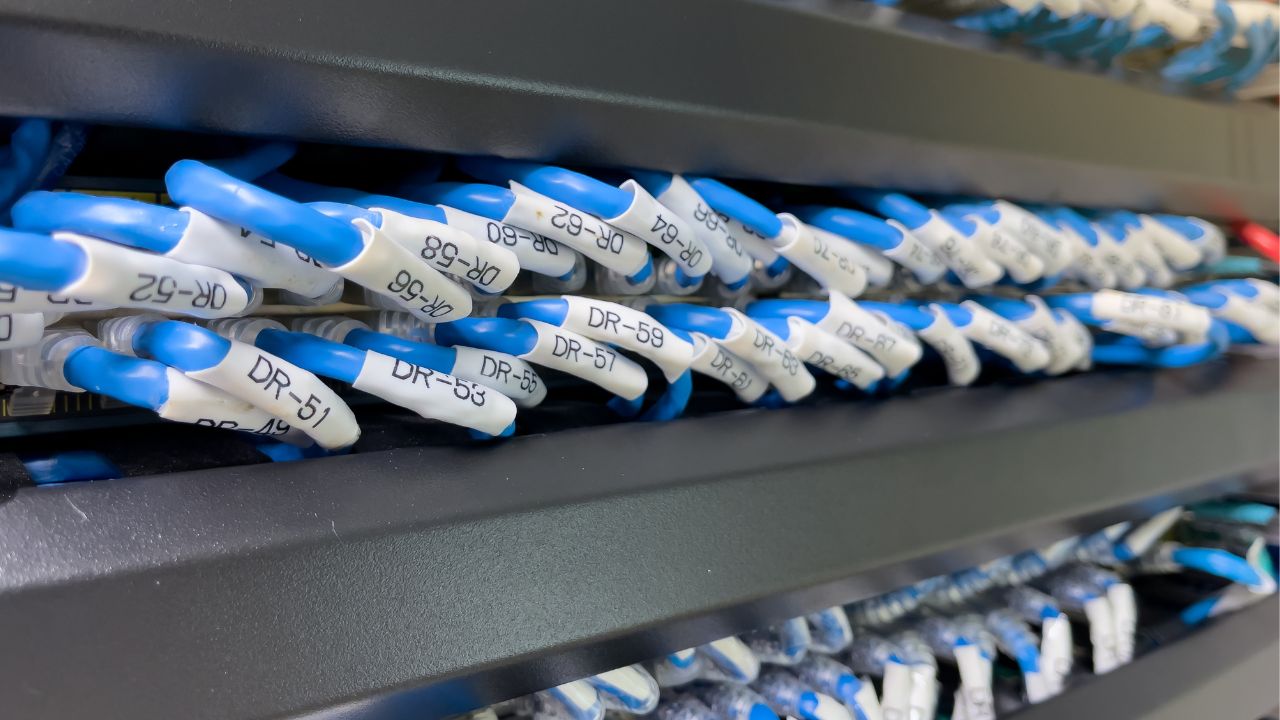
The above described tools for server rack cable management, but how do you manage server rack cables? Here are the tips and ideas for rack cable management provided for you.
Plan before You Install
First, you need to plan the layout of the rack cables, including all servers, switches and patch panels, etc. You should base the planning on the vertical cable channels within the cabinet, the horizontal cable management devices and the routing of the cable trays outside the cabinet. Planning needs to guarantee that all cables have clear paths that do not cross.
What’s more, you also need to unify the types, color coding rules and label formats of all cables and keep relevant records. The lengths of the cables need to be precisely measured before selection or customization.
Using the Right Cable Management Tools
At this stage, you need to select the appropriate accessories to start managing the cables of the server rack. First, you can install the patch panel. The patch panel is usually placed above or below the switch. You only need to terminate the permanent cabling on the patch panel.
Based on your cable layout, you need to select the appropriate cable manager. Install the horizontal manager before the patch panel and the switches. Install the vertical manager on both sides of the rack. Use the rear lacing bars to manage heavy cable bundles.
Generally, the vertical manager is suitable for long runs. The horizontal manager is used for connecting devices. When connecting, you need to separate the power cable and the data cable and place them on both sides of the server rack respectively. Then, use the Velcro ties(hook-and-loop) to fix the cables. The Velcro ties should be evenly distributed to prevent excessive compression of the cable bundles.
Labeling and Color-Coding
Next, you need to stick durable and easy-to-read labels at both ends of each cable, and indicate the connection points. The label printing must verify consistency, professionalism and permanence. You can use different colored labels based on the function, path and status. The cabinet and patch panel ports should also have clear markings to form a complete information chain.
Maintaining Accessibility and Flexibility
When managing the cables of the server rack, you should avoid over-tightening and also need to reserve appropriate slack for the moving devices. Any additions and changes to cables need to be recorded synchronously. The cable management system and the cable management tray need to reserve space for future expansion. The management of cables needs to guarantee smooth airflow. Don’t forget that you also need to conduct regular audits and maintenance of the cables.
Common Mistakes in Cable Management and How to Avoid Them
No planning before installation: Before installation, it is necessary to design the wiring path, color standards and label schemes. Avoid getting into chaos at the beginning.
Cables not separated: Power cables and data cables need to be bundled separately to prevent electromagnetic interference from affecting network performance.
Overuse of ties: The permanent nylon cable ties will bind the cables tightly, making it more troublesome to replace the cables. You can use adjustable and reusable Velcro straps for tying.
Wrong or ambiguous labels: The handwriting of labels is faded or the content of the labels is not clear, which greatly affects the efficiency of maintenance and inspection. When attaching labels, make sure that the content is clear and correct. Avoid using handwritten labels.
Perguntas frequentes
What Problems can Poor Cable Management Cause in Server Racks?
Poor cable management can block airflow and lead to overheating or hardware failure. Removing cables may cause downtime, which also makes troubleshooting more difficult. The maintenance costs and safety risks of the equipment will also increase as a result.
Should Power Cables and Data Cables be Separated in Server Racks?
Yes. Power cables and data cables should be routed separately to reduce electromagnetic interference, improve airflow, and simplify maintenance. Separating them also improves safety and makes cable tracing easier.
What Is the Difference Between Vertical and Horizontal Cable Management?
Vertical cable management is arranged along both sides of the server rack and is suitable for managing large cable bundles. The horizontal cables are placed between the rack-mounted devices, allowing the cables to be neatly distributed to each rack unit. Most server racks adopt a combination of both methods.
Are There Standards or Best Practices for Server Rack Cable Management?
Although the specific requirements may vary, the best standard cable management for server racks usually follows data center standards and manufacturer recommendations. These standards emphasize proper airflow management, cable separation, standardized labeling, protection of bending radius, and maintaining clear access for maintenance.
Final Thought
Whether it is a small server room or a large data center, proper cable management is the best practice that directly affects performance, operational efficiency, and the long-term health of the infrastructure. KDM is an electrical enclosure custom manufacturer. We can provide you with racks, cabinets and accessories that are more professional and easier to manage cables. We support customized production to meet your different application needs. We have obtained multiple certifications, and you can trust us. Please Contate-nos to get the customized solution.
 Portuguese
  English
  Arabic
  French
  Spanish
  Russian
  Japanese
  Korean
  Indonesian
  Chinese