The Ultimate Guide to Server Rack Cooling

Server Rack Cooling (5)

Low rack cooling efficiency can cause downtime, shortened equipment lifespan and increased energy costs. This article helps system integrators and IT infrastructure managers understand rack-level cooling components and strategies, and helps select the correct cooling solution for your data center based on density, facility limitations and long-term operational goals.

What Is Server Rack Cooling and Why Does It MatterServer Rack Cooling (4)

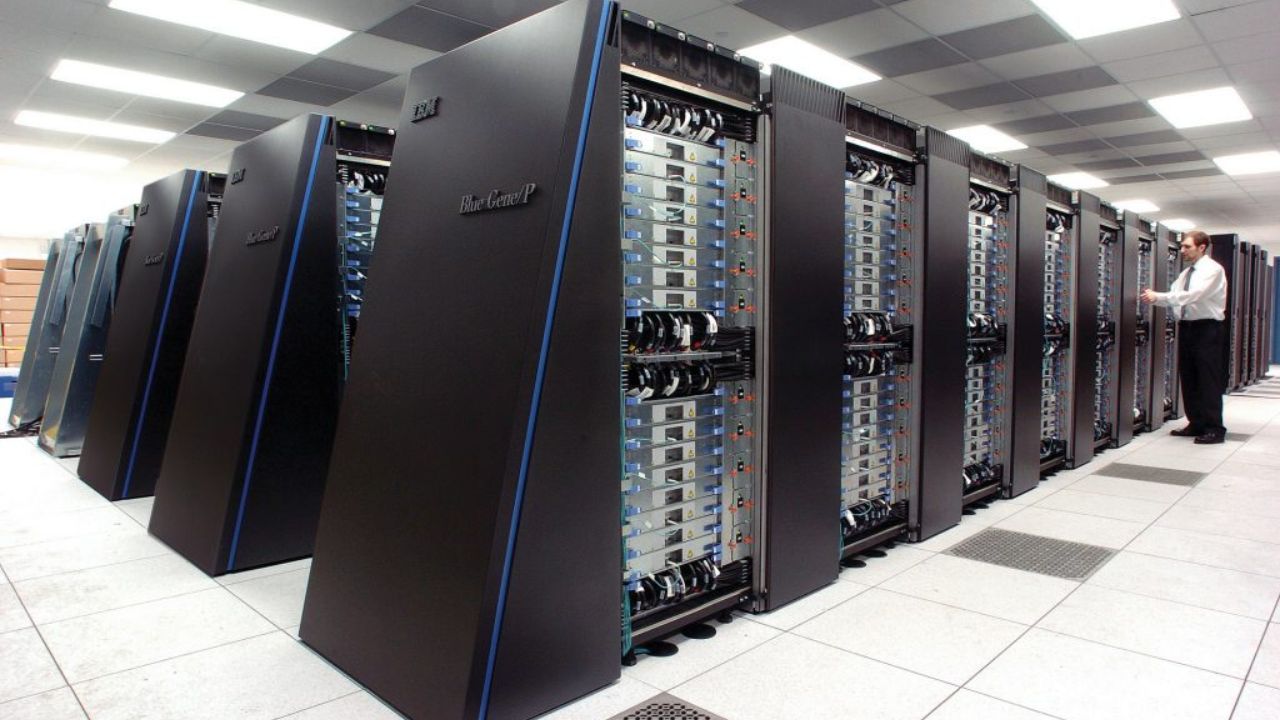
Server rack cooling is a system and method used to remove the heat generated by servers and IT equipment within the rack. Due to high CPU usage, rack space, and dense component layout, your server operation generates a large amount of heat. Therefore, you need to find an appropriate cooling solution to keep a stable temperature and prevent overheating.

Why it matters: Effectively cooling your server racks prevents equipment failures, guarantees uptime and reliability, improves energy efficiency, and also supports you in high-density deployments. Besides, an effective cooling solution can extend your equipment’s lifespan. This is a key factor in guaranteeing the performance, reliability and cost-effectiveness of your data center or server room.

Types of Server Rack Cooling

Passive Cooling

Passive cooling relies on natural heat dissipation rather than powered mechanical devices. It removes the heat within the server rack through airflow design, heat conduction and convection.

This cooling solution does not use refrigeration equipment and has fewer moving parts, thus being more energy-efficient and requiring less maintenance. This is a more cost-effective server rack cooling solution.

Although it is more cost-effective, its cooling capacity is limited and its control accuracy is also limited. You can apply it in environments such as small server rooms where heat generation is relatively low.

Active Cooling

The active cooling solution typically employs power systems such as fans, エアコン, or liquid pumps to actively remove heat from the server rack. The fans or cooling units force cool air into the rack, while hot air is expelled or cooled through the heat exchange system. This solution may use air-based and liquid-based technologies.

You can use this method to handle medium and high heat loads, with extremely high cooling efficiency. It also enables accurate temperature control and supports increased rack density, which is widely applicable in most data centers, enterprise data centers and high-density server racks.

However, this cooling solution involves higher energy consumption and increases your operating costs. You also need to service the cooling equipment, such as fans, filters and pumps.

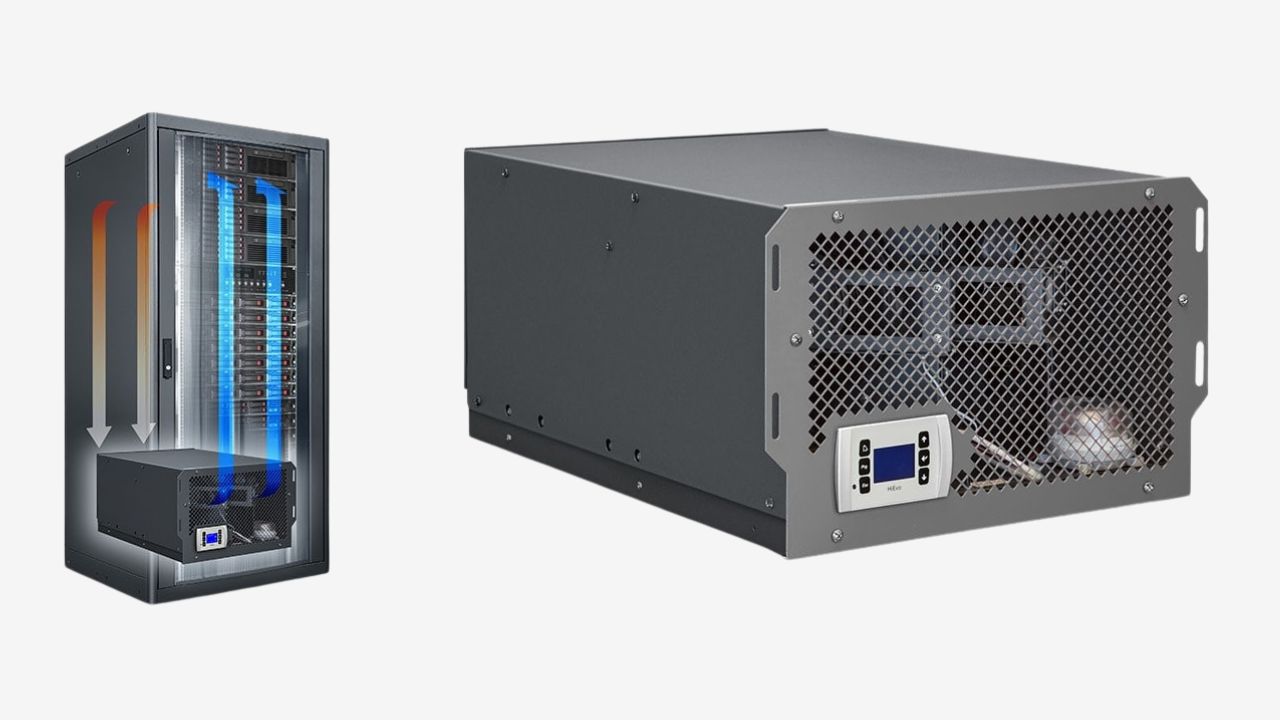
In-Row and In-Rack Cooling is another deployment method. In-row cooling involves installing the cooling device between the racks. Rack-based cooling integrates the dedicated cooling within the racks. Both of these cooling solutions can reduce air flow distance and improve efficiency in medium and high-density environments, allowing you to carry out scalable modular deployments.

Air Cooling Systems

Air cooling is the most common and cost-effective method. Controlled airflow removes the heat inside the equipment, thereby achieving the cooling effect.

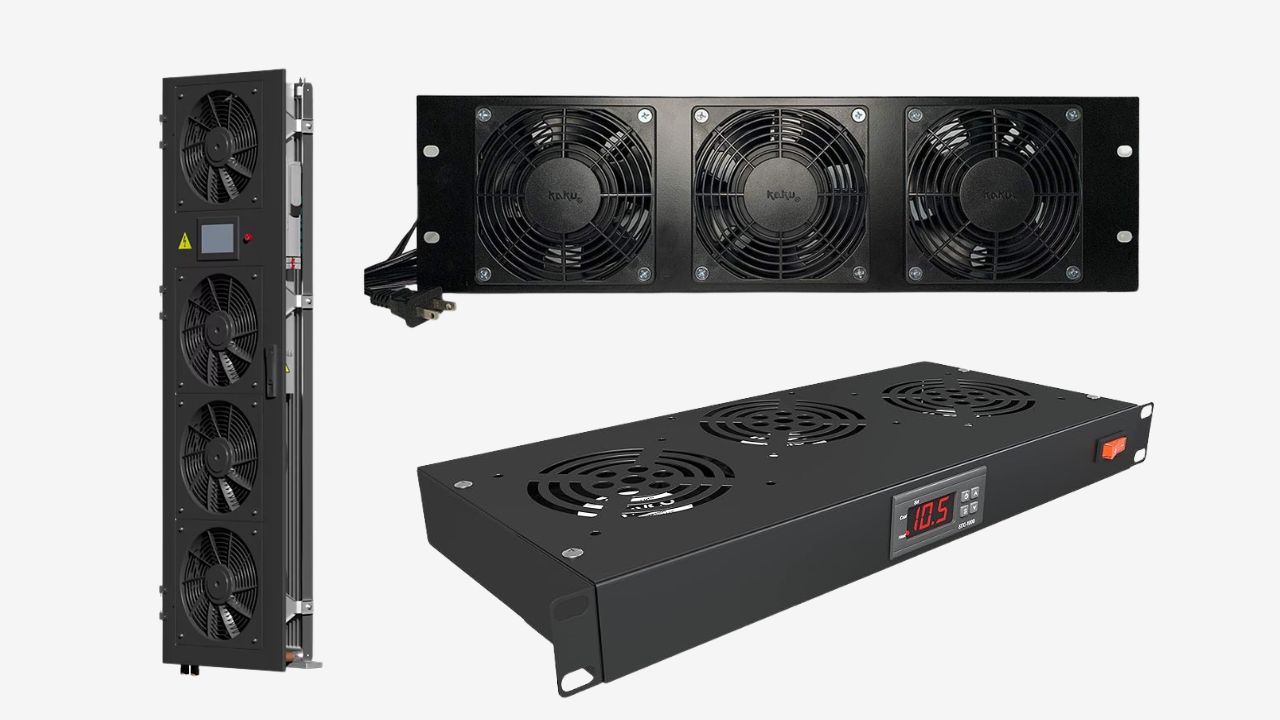
Rack-Mounted Fans: This solution uses rack-mounted fans to draw in cold air from the front of the rack and expel hot air from the rear. Besides, ファン cooling is more suitable for low to medium-density racks, which is also more conducive to installation and maintenance.

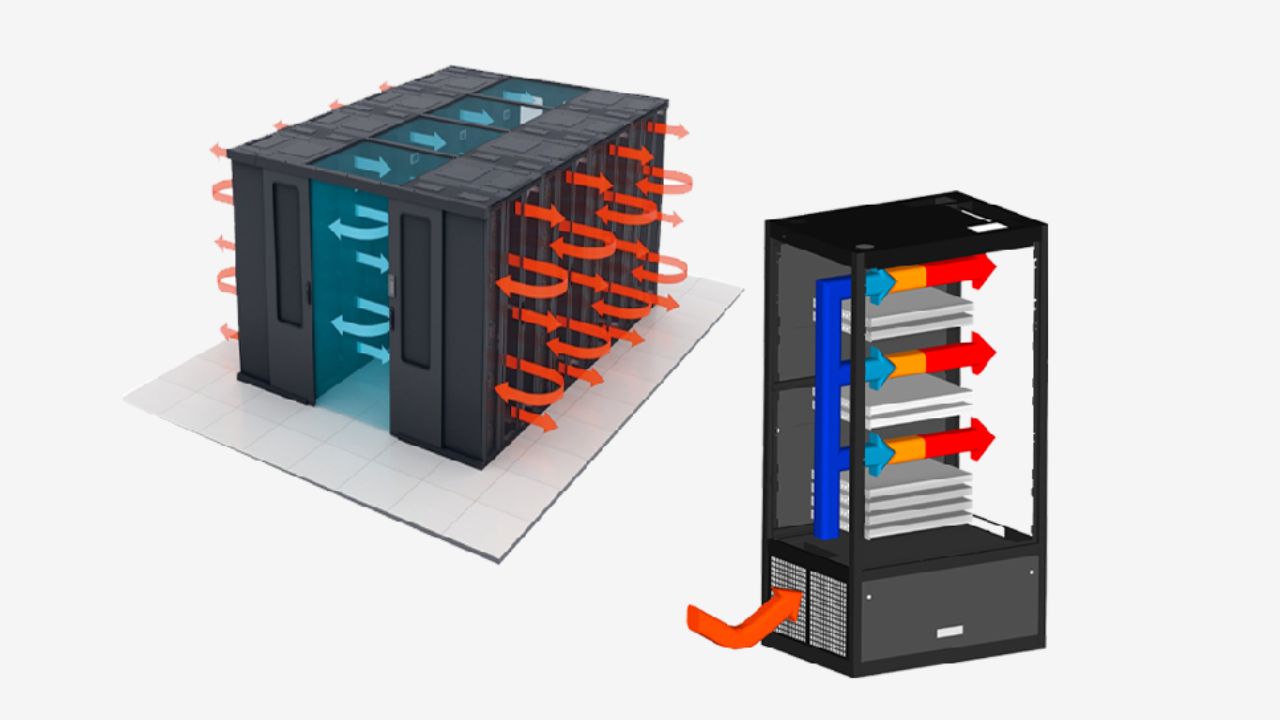
Hot Aisle/Cold Aisle Configuration: The hot aisle/cold aisle cooling method positions cold air intakes toward one aisle and hot air exhausts toward another. This separation method reduces the mixing of hot and cold air and improves server rack cooling efficiency.

Aisle Containment Systems: Sealing is achieved by adding physical barriers such as doors and panels to separate the hot aisle and the cold aisle. This method can improve airflow control and reduce energy waste. Compared to an open-loop cooling system, this cooling method enables your rack to be deployed with higher density.Server Rack Cooling (2)

Liquid Cooling Systems

If you operate a high-density or high-performance IT environment, liquid cooling removes heat more effectively than air cooling.

Direct-to-Chip Cooling: The coolant can be delivered directly to your high-heat components for efficient heat dissipation, such as CPUs and GPUs. This method is more suitable for your high-density and HPC applications, but it also requires a more complex infrastructure.

Rear Door Heat Exchangers: You need to install the liquid-cooled door at the back of the rack. The hot air passes through the heat exchanger, where it is cooled before re-entering the server room. This rack cooling method is more suitable for renovation projects, making minimal changes to the existing Settings.

Immersion Cooling: Directly immersing the server in thermally conductive liquid has an extremely high cooling efficiency. This approach enables you to carry out super-high-density deployments, but it requires paying higher costs and professional maintenance.

Key Components of Server Rack Cooling Systems

Coolant Distribution Units(CDUs)

Coolant regulates, circulates, and monitors the coolant flow between facility cooling sources and IT equipment. The CDU guarantees that the coolant is supplied at the correct temperature, pressure and flow rate, while also isolating the data center loop from the facility water supply.

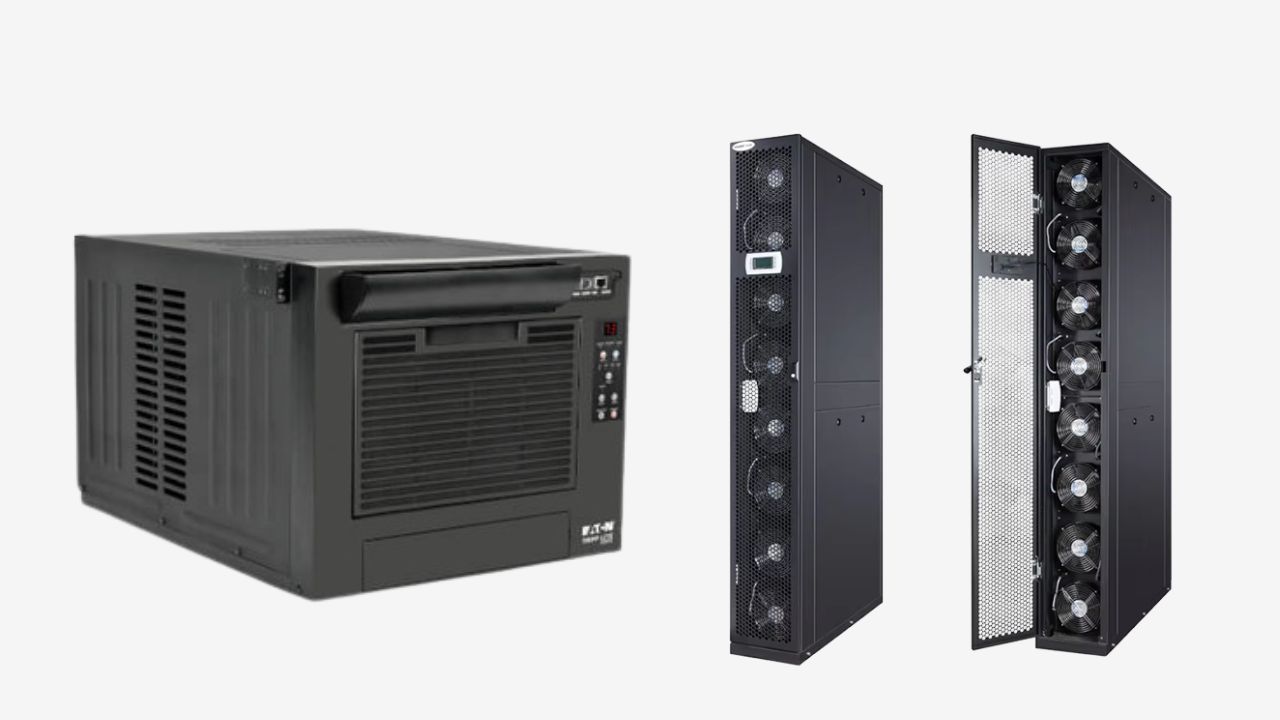
Cooling Units(CRAC/CRAH)

CRAC (Computer Room Air Conditioning) and CRAH (Computer Room Air Handler) are the main cooling systems available for your data center. The former typically use direct expansion cooling with refrigerants, while the latter use chilled water systems. They can cool and circulate air throughout the facility, providing consistent temperature and humidity control. They also support room-level cooling but influence rack performance.

Airflow Management Accessories

The blanking panel fills empty rack space to prevent hot air recirculation. The cable management system helps you organize the cables and avoid blocking the airflow. The sealing accessories are used to seal the rack or floor openings to prevent air leakage. These components optimize the airflow and improve the cooling efficiency.

Temperature and Humidity Sensors

You can place the temperature and humidity sensors in the monitoring devices on the shelves and in the aisles. It can track the environmental conditions in real time and activate alerts and adjust the system when necessary. You can also integrate the sensors with DCIM or monitoring software.Server Rack Cooling (3)

Key Factors When Choosing Server Rack Cooling Solution

Heat Load and Power Density

The higher the power consumption within the rack, the more heat removed. In a low-density environment, using a standard air cooling solution is sufficient for you. If the density increases, you need to use equipment to directly deliver cooling to the specific rack units where the heat is concentrated.

Rack Size and Layout

The rack size, including height (U) and depth, determines the airflow way through the equipment and where heat accumulates. Typically, a 42U rack can achieve a good balance between capacity and airflow in a medium-density setup. A 48U rack requires greater cooling capacity but also has more space.

What’s more, the layout of the rack also affects the cooling performance. Aligning the hot aisle and the cold aisle correctly can effectively direct the cold air to the front of the rack without mixing with the hot air expelled from the rear.

The most important thing is that rack space, wire layout, and cooling device location all affect the way air moves. A well-planned layout allows for consistent airflow and makes it easier to integrate local cooling solutions. This enables you to implement more precise thermal control of your data center or IT infrastructure.

Energy Efficiency Requirements

Energy efficiency is related to your long-term operating costs. Cooling systems typically account for a large portion of your data center’s energy consumption. Inefficient designs will undoubtedly lead to high operating expenses. You can concentrate the cooling capacity in the areas where it is needed, which can effectively reduce energy waste.

This will not only improve the overall operational efficiency of your system but also reduce the total cost of ownership over time.

Scalability and Future Expansion

Over time, your IT load tends to increase or evolve. Flexible cooling solutions allow your enterprise to expand capacity without making major infrastructure changes. You can choose modular or scalable systems, which avoid designs that require major redesign for upgrades.

Cost(CAPEX vs OPEX)

Balancing your capital expenditure(CAPEX) and operating expenditure (OPEX) is important in evaluating the server rack cooling cost. CAPEX includes your upfront investments in cooling equipment, installation, and infrastructure upgrades, while OPEX covers the ongoing costs such as energy consumption, maintenance, and system operation over time.

Traditional air cooling systems require a relatively low initial investment, but they have low air flow management efficiency and higher energy consumption. The localized cooling solutions require a higher upfront cost, but they have higher cooling efficiency and reduce your overall operating costs throughout the entire lifecycle.

When rack density increases, you can invest in efficient cooling technologies in advance and support modular deployment solutions. Even as your enterprise expands gradually, you can balance CAPEX and OPEX.Server Rack Cooling (5)

How to Calculate Server Rack Cooling Requirements?

Determined Heat Load

First, determine the total power consumption of all the devices in your rack, and then convert it into a heat dissipation value. As a general rule, 1kW of IT equipment power consumption generates approximately 3,412 BTU/h of heat load. You can use this formula to set a clear target for your cooling capacity requirements.

In the actual operational environment, your UPS losses, lighting or nearby equipment can also generate additional loads. Include these in the calculation to avoid underestimating the cooling requirements.

Add a Safety Margin

To verify that your equipment can operate stably, it is recommended to add a 20% safety margin to the calculated total heat load to account for future expansion, peak loads, and environmental variations.

Assess Airflow Requirements

You need to ensure the temperature difference between the entry and exit points of the rack. This is a condition that determines the airflow. The temperature difference usually ranges from 10℃ to 20℃. Appropriate airflow guarantees that heat is effectively dissipated from the equipment and prevents hotspots.

Consider Environmental and Layout Factors

You also need to verify your calculation results based on your room layout, rack arrangement, containment strategy and environmental temperature. These factors will affect the actual cooling performance and may require you to adjust the initial calculation.Server Rack Cooling

よくある質問

How Does Server Rack Cooling Impact Overall Data Center PUE?

Efficient rack-level cooling can improve PUE through localized cooling, reducing energy waste caused by the entire room’s overcooling. The airflow is improved, effectively separating hot and cold air, reducing the energy required to keep the safe operating temperature, and achieving a lower PUE value.

Is Liquid Cooling Better than Air Cooling?

Liquid cooling is more efficient than air cooling, especially in high-density or high-performance environments. Liquid cooling can effectively dissipate heat and support higher heat loads. Air cooling is simpler, less costly and can be applied in most standard applications and is the more common choice.

How Does Rack Density Impact Cooling Strategy Selection?

Rack density directly determines the amount of heat excluded, which directly affects your rack cooling plan. Low-density(<5kW/rack) racks typically use standard air cooling methods. Medium-density(5-15kW/rack) racks require improved airflow and containment. High-density racks(>15kW/rack) generate more heat, so they need to use liquid or in-row cooling to keep a safe temperature.

What’s the Difference Between Server Rack Cooling and Server Room Cooling?

Their cooling methods and locations are different. Server rack cooling focuses on removing heat from the rack level and directly delivering the cooling to the equipment. This is more suitable for high-density or localized hotspots.

The server room cooling mainly uses CRAC or HVAC systems to manage the entire room temperature. It directly cools the entire room without targeting specific heat sources.

Final Thought

Low-temperature operation is beneficial to your rack equipment and extends its service life. KDM can provide you with different types of server racks that are conducive to heat dissipation and proper rack cooling solutions. Besides, we also provide one-stop customization services. If you need it, please お問い合わせ now.

jaJapanese
上へスクロール
x
今すぐお問い合わせをお送りください
ファイルをアップロード
x
今すぐお問い合わせをお送りください
ファイルをアップロード